 YouTube Chapter Generator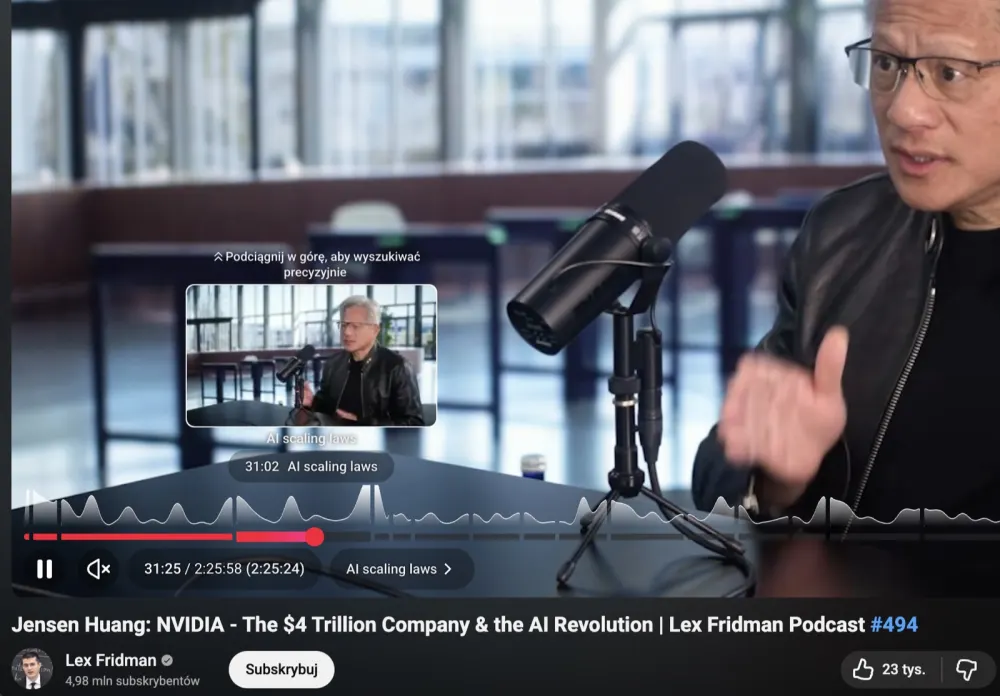
The free AI chapter generator for YouTube
Paste a YouTube link, get chapters. That's it. Free, instant, and you don't have to sign up to try it. Works on any public video, captions or not.
It's an AI video chapter generator, not a timestamp calculator: the model reads the actual transcript, finds where the topic genuinely changes, and writes a title for each section. That's the difference between a chapter maker that splits a video into equal blocks and one that produces chapters a viewer would actually click.
How to add chapters to a YouTube video
- Paste your video URL up top and hit generate.
- Wait a few seconds for the AI to read the video.
- Copy the chapter list and paste it into your YouTube description.
YouTube turns it into chapter markers automatically. The first timestamp has to be 0:00 — ours always is.
What you get
- A clean list of timestamps and chapter titles.
- A title suggestion you can use on YouTube.
- A description ready to paste.
Why add chapters to a YouTube video
Chapters do two jobs at once. On the viewer side, they turn the seek bar into a table of contents — someone can jump straight to the section they came for instead of scrubbing blindly, which cuts early drop-off. On the discovery side, each chapter title is extra topic-level text that YouTube's search and recommendation systems can index, on top of whatever your title and description already say.
YouTube's chapter requirements
YouTube only turns a timestamp list into clickable chapters if it follows three rules:
- At least 3 timestamps.
- The first one starts at exactly
0:00. - Each chapter is at least 10 seconds long.
Every chapter list this tool generates already meets all three, so you can paste the output straight into your description without adjusting anything.
FAQ
- Is it really free?
- Yes. One free chapter generation, no signup. Sign in for one more.
- Does it work on any YouTube video?
- Almost. Any public video works, with or without captions, because the tool listens to the video itself. Private, members-only and age-restricted videos can't be read, and videos with no speech (pure music, silent footage) don't have much to split into chapters.
- What format are the chapters?
- Standard YouTube format: 0:00 Intro on each line. Just copy and paste directly into your video description.
- Why aren't my YouTube chapters showing up?
- YouTube requires at least 3 timestamps, each at least 10 seconds apart, and the first one must start at exactly 0:00. Our output always meets these rules, so if you're editing it by hand afterward, double-check those three conditions.
- How is this different from adding chapters manually?
- Manually you have to watch the whole video, guess where topics change, and write titles yourself. This tool reads the transcript, finds the actual topic boundaries, and writes concise, search-friendly titles for each one — in seconds instead of minutes per video.
- Do chapters actually help a video perform better?
- Yes, in two ways. Chapters give viewers a visible table of contents on the seek bar, which reduces early drop-off because people can jump straight to the part they want. They also give YouTube's search and suggestion systems extra topic-level text to index, on top of your title and description.
- Can I edit the chapters after they're generated?
- Yes. The output is plain text — rename any chapter, merge two, or delete ones you don't need before pasting it into YouTube.
- Does it work for non-English videos?
- Yes. The video is transcribed in the language it's spoken in, and chapter titles come out in that same language unless you pick another one in the settings.